CSS Colors
Apply color using keywords, hexadecimal, RGB, HSL, and modern color formats.
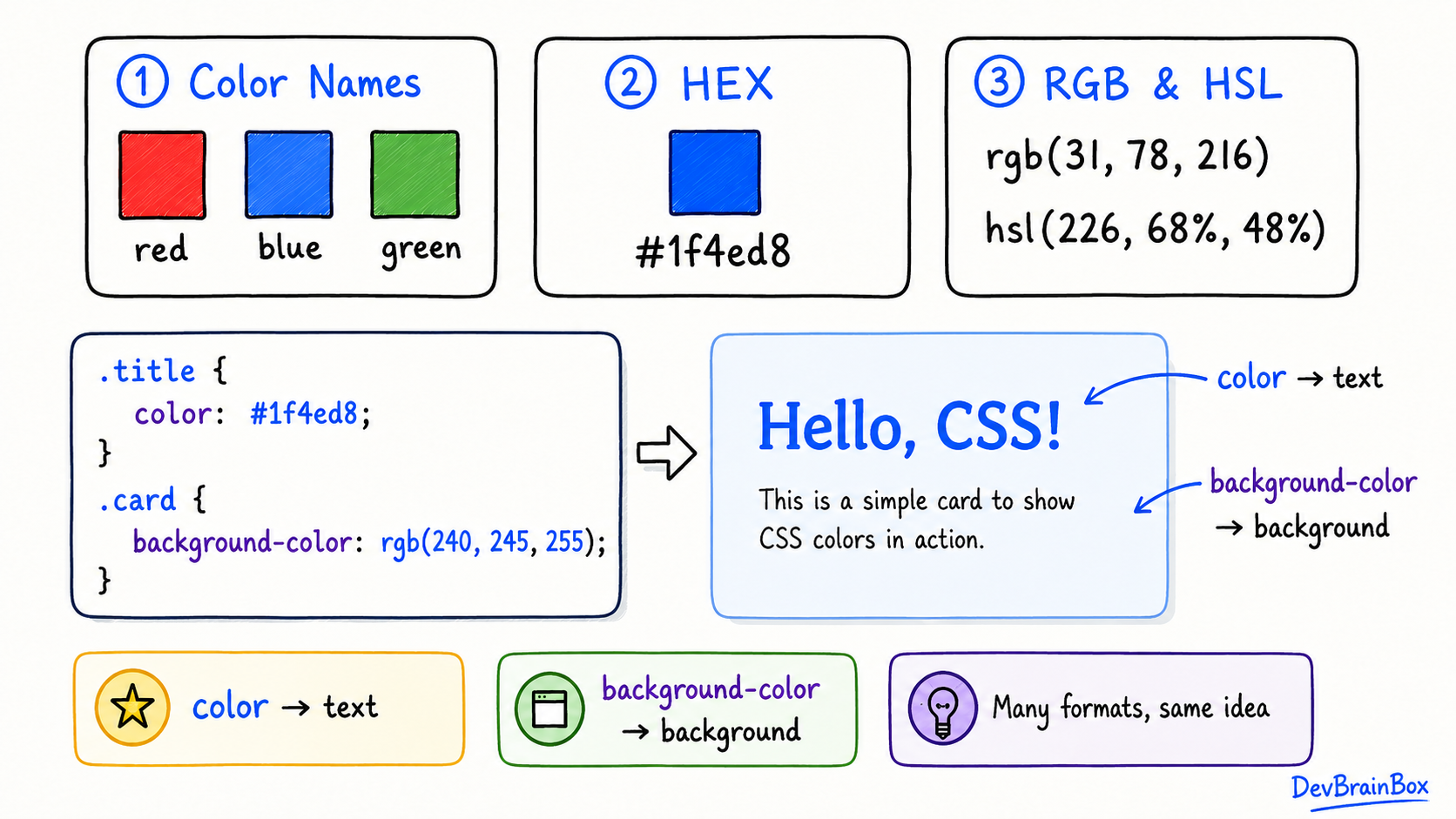
CSS colors help make a webpage attractive, readable, and easy to understand. You can use colors for text, backgrounds, borders, buttons, links, and many other elements.
For example:
h1 {
  color: blue;
}
The color property changes the text color of every <h1> element to blue.
Common color-related properties include:
color— changes the text colorbackground-color— changes the background colorborder-color— changes the border coloroutline-color— changes the outline colortext-decoration-color— changes the color of an underline or other decoration
Color Names
CSS supports predefined color names such as red, blue, green, orange, and purple.
p {
  color: green;
}

button {
  background-color: orange;
}
Color names are easy to learn and useful for simple projects. However, they offer less control than other color formats.
Hexadecimal Colors
A hexadecimal, or HEX, color begins with a hash symbol (#). It normally contains six characters representing red, green, and blue.
h2 {
  color: #1f4ed8;
}
The format is #RRGGBB. Each pair controls one color:
RRcontrols red.GGcontrols green.BBcontrols blue.- Values range from
00toFF.
Common examples include:
.black {
  color: #000000;
}

.white {
  color: #ffffff;
}

.red {
  color: #ff0000;
}
Some HEX colors can use a three-character shorthand:
p {
  color: #333;
}
Here, #333 is the short form of #333333.
RGB Colors
RGB stands for red, green, and blue. Each value can range from 0 to 255.
.card {
  background-color: rgb(240, 248, 255);
}
Examples:
.red {
  color: rgb(255, 0, 0);
}

.green {
  color: rgb(0, 128, 0);
}

.blue {
  color: rgb(0, 0, 255);
}
Changing the three numbers creates different colors.
RGBA Colors
RGBA works like RGB but adds an alpha value for transparency.
.overlay {
  background-color: rgba(0, 0, 0, 0.5);
}
The alpha value ranges from:
0— completely transparent0.5— partly transparent1— completely visible
RGBA is useful for overlays, transparent backgrounds, and shadows.
HSL Colors
HSL stands for hue, saturation, and lightness.
h3 {
  color: hsl(220, 70%, 50%);
}
Its values mean:
- Hue: the basic color, represented from 0 to 360
- Saturation: the strength of the color, written as a percentage
- Lightness: how light or dark the color is, written as a percentage
HSL can make it easier to create lighter or darker versions of the same color.
.light-blue {
  color: hsl(220, 70%, 70%);
}

.dark-blue {
  color: hsl(220, 70%, 30%);
}
HSLA Colors
HSLA adds transparency to an HSL color.
.banner {
  background-color: hsla(220, 70%, 50%, 0.4);
}
The final value is the alpha value. It works in the same way as the alpha value in RGBA.
The Transparent and CurrentColor Keywords
The transparent keyword creates a fully transparent color:
button {
  background-color: transparent;
}
The currentColor keyword uses the element's current text color:
.notice {
  color: red;
  border: 2px solid currentColor;
}
The text and border will both be red.
Choosing Accessible Colors
Good color choices improve readability and usability. Remember to:
- Use strong contrast between text and its background.
- Avoid very light text on a white background.
- Do not communicate important information using color alone.
- Keep the color style consistent across the website.
- Test buttons, links, and text on different screens.