CSS Margin and Padding
Create consistent space inside and around elements.
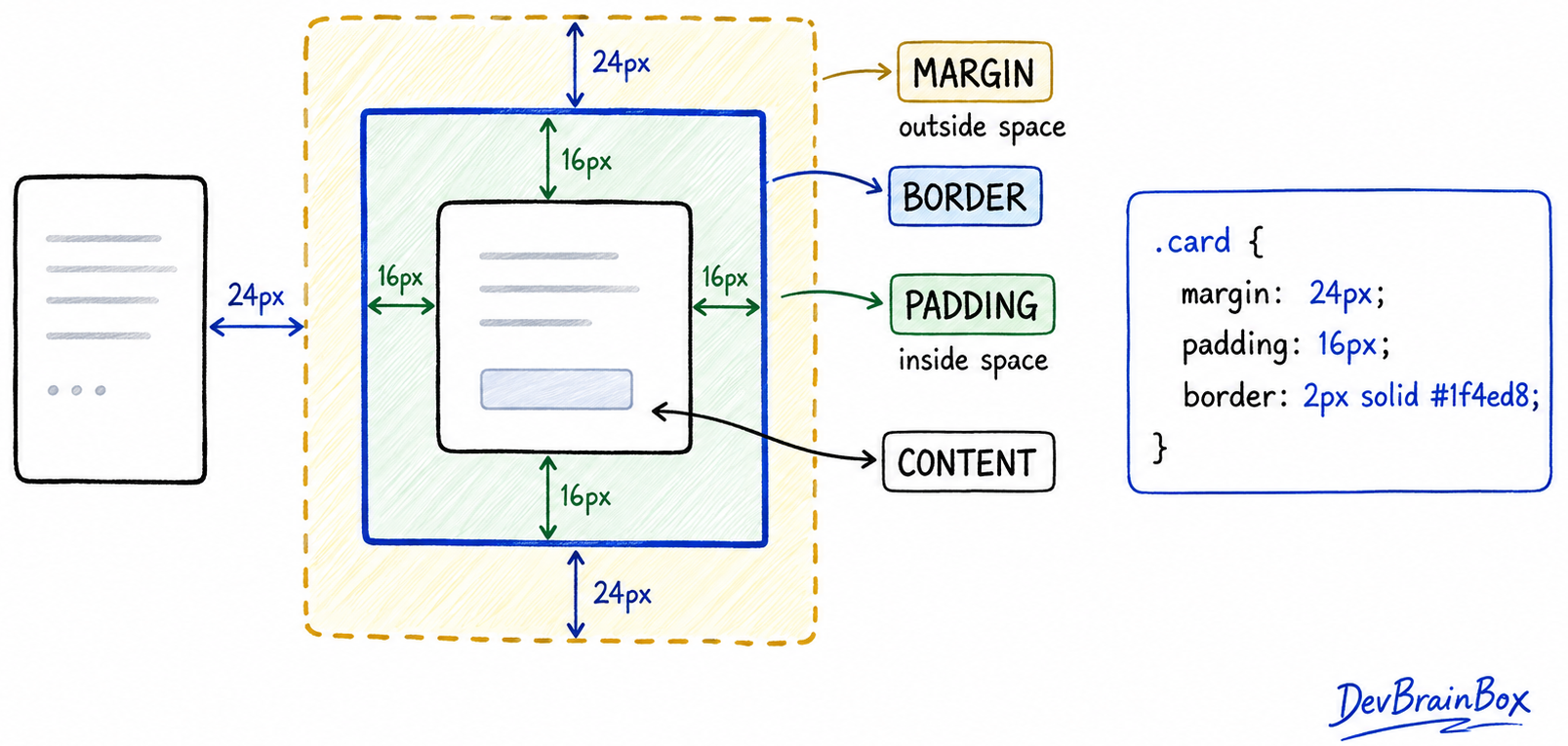
Margin and Padding
Margin and padding add space to an element, but in different places:
- Margin creates space outside the border.
- Padding creates space between the content and border.
CSS
.card {
  margin: 20px;
  padding: 15px;
}
The element's background extends through its padding, but not through its margin.
Shorthand
You can set all four sides in one declaration:
CSS
.all-sides { margin: 20px; }
.vertical-horizontal { padding: 10px 20px; }
.each-side { margin: 10px 20px 30px 40px; }- One value applies to every side.
- Two values set vertical and horizontal spacing.
- Four values follow clockwise order: top, right, bottom, left.
Useful Margin Values
CSS
.container {
  width: 800px;
  margin: 0 auto; /* centre horizontally */
}

.image {
  margin-top: -20px; /* move upward */
}
Negative margins can cause overlap, and padding cannot use negative values.