CSS Responsive
Build flexible layouts and use media queries to adapt to screen sizes and user preferences.
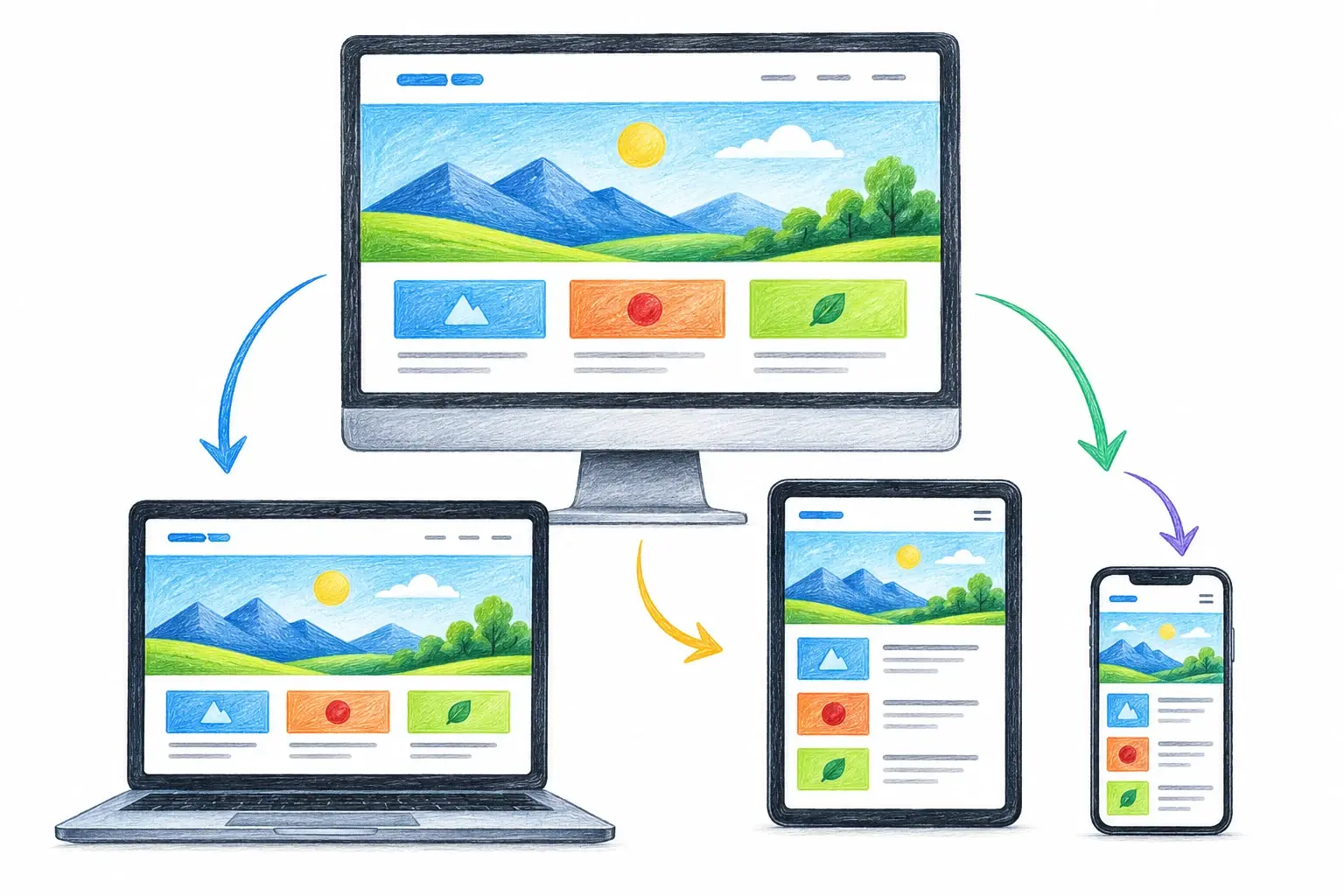
Responsive design makes one website adapt to phones, tablets, laptops, and desktop screens. It combines flexible layouts, scalable media, and media queries to keep content readable and usable at every size.
Viewport Meta Tag
Add this tag inside the document's <head> so mobile browsers use the device width instead of a wider virtual viewport.
<meta name="viewport" content="width=device-width, initial-scale=1.0">Flexible Layouts and Media
Let containers and images shrink with the available space.
.container {
  width: min(100% - 2rem, 1200px);
  margin-inline: auto;
}

img {
  max-width: 100%;
  display: block;
  height: auto;
}
Responsive Layouts with Flexbox
Use flex-wrap to move items onto a new row when the container becomes too narrow.
.cards {
  display: flex;
  flex-wrap: wrap;
  gap: 1rem;
}

.card {
  flex: 1 1 240px;
}
A media query can also change a stacked mobile layout into a horizontal layout on wider screens.
.page-layout {
  display: flex;
  flex-direction: column;
  gap: 1.5rem;
}

@media (min-width: 768px) {
  .page-layout {
    flex-direction: row;
  }

  .sidebar {
    flex: 0 0 240px;
  }

  .main-content {
    flex: 1;
  }
}
Mobile-First Design
Write the small-screen layout first, then add enhancements with min-width media queries when the content has room.
.cards {
  display: grid;
  grid-template-columns: 1fr;
  gap: 1rem;
}

@media (min-width: 768px) {
  .cards {
    grid-template-columns: repeat(2, 1fr);
  }
}
Responsive Grid Without Breakpoints
CSS Grid can add or remove columns automatically as space changes.
.cards {
  display: grid;
  grid-template-columns: repeat(auto-fit, minmax(min(100%, 240px), 1fr));
  gap: 1rem;
}
Media Queries
A media query checks a browser or device condition and applies rules only when that condition is true.
.navigation {
  display: none;
}

@media (min-width: 768px) {
  .navigation {
    display: flex;
  }
}
This desktop-first Flexbox example adjusts the layout for tablet and mobile screens.
/* Desktop: 1024px and up */
.page {
  display: flex;
  flex-direction: row;
  gap: 2rem;
  max-width: 1200px;
  margin-inline: auto;
  padding: 2rem;
}

/* Tablet: 768px to 1023px */
@media (max-width: 1023px) {
  .page {
    flex-wrap: wrap;
    gap: 1.5rem;
    padding: 1.5rem;
  }
}

/* Mobile: 0px to 767px */
@media (max-width: 767px) {
  .page {
    flex-direction: column;
    gap: 1rem;
    padding: 1rem;
  }
}
Common Breakpoints
- Extra Small (Mobile):
0pxto575px(targets small phones in portrait mode) - Small (Large Phone / Small Tablet):
576pxand up (adjusts for landscape phones and compact tablets) - Medium (Tablet):
768pxand up (fits standard portrait tablets) - Large (Laptop / Small Desktop):
992pxor1024pxand up (fits landscape tablets and small laptops) - Extra Large (Desktop):
1200pxor1280pxand up (targets standard desktop monitors) - Extra Extra Large (Large Monitor):
1400pxand larger (optimized for wide or high-resolution screens)
Choose Content-Based Breakpoints
Do not target specific device names. Resize the page and add a breakpoint where content becomes cramped, overflows, or leaves too much empty space. Test the layout at widths between breakpoints too.
Key Takeaways
- Include the viewport meta tag.
- Use flexible dimensions, layouts, and media.
- Start mobile-first and add only the breakpoints the content needs.