HTML Semantic
Give page sections meaningful structure.
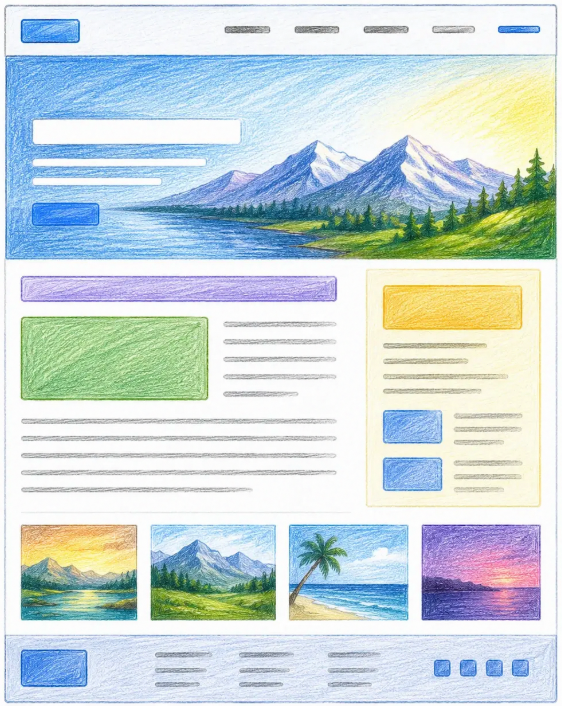
As websites become larger and more complex, it becomes important to organize content in a meaningful way. This is where Semantic HTML comes in.
Semantic HTML uses elements that clearly describe their purpose and the type of content they contain. Instead of using generic containers everywhere, semantic elements help both humans and browsers understand the structure of a webpage.
What Is Semantic HTML?
The word semantic means having meaning.
In HTML, semantic elements describe the role of the content they contain.
For example:
<header>
<nav>
<main>
<footer>
By looking at these tags, you can immediately understand what part of the page they represent.
Compare this with a non-semantic approach:
<div class="header"></div>
<div class="navigation"></div>
<div class="content"></div>
<div class="footer"></div>
Both examples can display the same webpage, but semantic HTML provides clearer meaning and structure.
Why Is Semantic HTML Important?
Semantic HTML offers several benefits:
- Makes code easier to read and maintain.
- Improves accessibility for screen readers.
- Helps search engines understand content.
- Creates a more organized webpage structure.
Think of semantic HTML as labeling rooms in a building. It's much easier to find the kitchen, office, or meeting room when each room has a clear name.
Common Semantic Elements
The <header> Element
Represents the top section of a webpage or section.
<header>
    <h1>My Website</h1>
</header>
It often contains:
- Website logo
- Page title
- Navigation menu
The <nav> Element
Represents a section containing navigation links.
<nav>
    <a href="https://www.devbrainbox.com/">Home</a>
</nav>
This helps users move around the website.
The <main> Element
Represents the primary content of the page.
<main>
    <h2>Latest Articles</h2>
</main>
A webpage should generally have only one main section.
The <section> Element
Represents a related group of content.
<section>
    <h2>Our Services</h2>
</section>
Sections help divide content into logical parts.
The <article> Element
Represents independent content that can stand on its own.
<article>
    <h2>How to Learn HTML</h2>
</article>
Blog posts and news articles often use this element.
The <footer> Element
Represents the bottom section of a page.
<footer>
© 2026 My Website
</footer>Footers often contain:
- Copyright information
- Contact details
- Useful links
The <details> and <summary> Elements
The details element creates a native disclosure section that users can open and close. The summary element provides its visible, clickable label.
<details>
    <summary>What is semantic HTML?</summary>
    <p>
        Semantic HTML uses elements that describe the meaning
        and purpose of their content.
    </p>
</details>
These elements work without JavaScript and include useful keyboard and accessibility behavior by default. Add the open attribute when the details content should initially be expanded.
Best Practices
When using semantic HTML:
- Choose elements based on meaning, not appearance.
- Use header, main, and footer appropriately.
- Organize content into logical sections.
- Avoid using div when a semantic element is available.
- Use details and summary for optional expandable information.
This creates cleaner and more understandable code.
Key Takeaways
- Semantic is an important topic to understand.
- Start with small examples and practice one step at a time.
- Use the idea in simple projects so it becomes easier to remember.